Integrating the Gildan 64000 Metro Blue T-Shirt Mockup Into Your Design Workflow
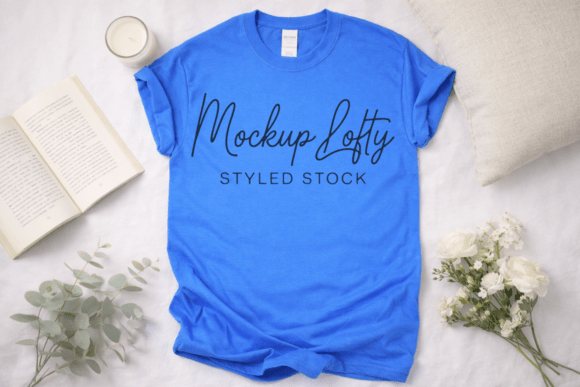
Presenting apparel designs effectively requires more than just a digital file; it demands context. The Gildan 64000 Metro Blue T-shirt mockup serves as a critical bridge between a raw vector graphic and a tangible product perception. For designers, print-on-demand sellers, and brand managers, this specific asset offers a clean, fresh, and personable aesthetic that aligns with modern e-commerce standards. Unlike generic templates that often feel sterile or overly processed, this mockup provides a realistic streetwear trendy look while maintaining a professional polish suitable for B2B presentations and direct-to-consumer storefronts.
This resource is specifically formatted as a high-resolution JPEG at 300 DPI, making it immediately compatible with a wide range of design software without the steep learning curve associated with complex smart object PSD files. Whether you are validating a new collection, updating an Etsy listing, or pitching a corporate uniform concept, understanding how to leverage this flat lay asset can significantly streamline your production pipeline and enhance visual consistency across platforms.
Strategic Application in Pre-Production and Validation
Before committing to inventory or launching a marketing campaign, the Gildan 64000 Metro Blue T-shirt mockup functions as a low-risk validation tool. In the early stages of product development, creators often need to gauge audience reaction to colorways and placement without the expense of physical sampling. Because this mockup features a neutral white wooden background, it isolates the garment and design, allowing stakeholders to focus purely on the artwork's interaction with the Metro Blue fabric.
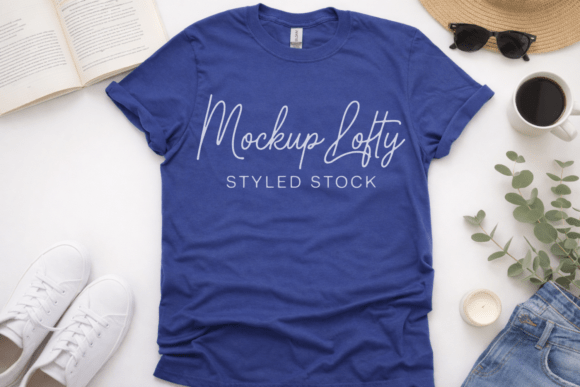
During the decision-making phase, this asset helps answer practical questions about contrast and legibility. Metro Blue is a distinct mid-tone shade that behaves differently than standard navy or royal blue. By applying your logo or typography to this specific digital template, you can verify if white text pops sufficiently or if black elements get lost in the weave. This step prevents costly reprints and ensures that the final physical product matches the digital promise. For small business owners operating on lean budgets, this digital proofing stage is essential for quality control and minimizing returns due to unmet expectations.
Technical Integration Across Design Platforms
One of the primary advantages of this editable t-shirt mockup is its format versatility. While many industry-standard mockups require Adobe Photoshop and advanced layer management, this JPEG file democratizes access for users relying on Canva, Procreate, or web-based design tools. This compatibility is vital for teams with mixed skill sets or solopreneurs managing every aspect of their branding apparel mockup strategy.
Workflow for Non-Destructive Editing
Since the downloadable mockup is clean and free from any text, tags, or watermarks, it acts as a pristine canvas. However, working with a flattened JPEG requires a slightly different approach than layered files to maintain non-destructive editing capabilities:
- Layer Management: Always place your design on a separate layer above the base mockup image. Never edit the original JPEG directly. This preserves the integrity of the shadows and fabric texture.
- Blending Modes: To achieve a realistic sublimation t-shirt mockup effect, utilize "Multiply" or "Overlay" blending modes. This allows the natural folds and lighting of the Gildan 64000 shirt to show through your artwork, preventing the design from looking like a sticker floating on top of the fabric.
- Warping and Distortion: Even in a flat lay composition, fabric has dimension. Use subtle warp tools to curve your design along the chest area or hemline. This attention to detail transforms a generic digital t-shirt mockup into a premium visual asset.
- Color Correction: Adjust the saturation and brightness of your design layer to match the lighting temperature of the white wooden background. Consistency here creates the cohesive, modern mockup aesthetic that builds brand trust.
Enhancing E-Commerce and Social Media Presence
The aesthetic of this mockup is intentionally designed for the current digital landscape. The oversized shirt flat lay tee style combined with a gender-neutral aesthetic appeals to a broad demographic, making it ideal for brands targeting Gen Z and Millennials. When used correctly, this asset does more than display a product; it communicates a lifestyle.
For social media managers and content creators, the clean composition provides ample negative space for copy, pricing overlays, or seasonal graphics. The white wooden background ensures that the image remains bright and airy in Instagram feeds or Pinterest boards, where darker images often underperform. Furthermore, because the file is high resolution, it supports zoom functionality on product pages. Customers frequently zoom in to inspect fabric texture and print quality; a 300 DPI source file ensures that even at 200% magnification, the Gildan flat lay shirt mockup retains crispness, reducing purchase anxiety.
Cross-Platform Consistency
Maintaining visual identity across multiple sales channels is a common operational challenge. Using this specific Gildan flat lay modern shirt mockup as a master template allows businesses to create a unified catalog. Whether the end destination is Shopify, Amazon Merch, or a wholesale line sheet, the consistent lighting, angle, and garment style reduce cognitive load for returning customers. This systematic approach to imagery also speeds up batch processing. Once you have established your preferred blending settings and positioning guides for this specific blank apparel mockup, applying future designs becomes a repetitive, efficient task rather than a creative struggle.
Considerations for Commercial Use and Licensing
When integrating any digital asset into a business workflow, licensing and usability are paramount. This commercial use mockup is structured to support small business growth without legal ambiguity. However, users must distinguish between using the mockup to sell their own designs versus reselling the mockup itself. The intended workflow involves using this template to showcase original artwork, logo t-shirt mockups, or promotional merchandise.
From a file organization perspective, treat this JPEG as a master asset. Store it in a dedicated "Mockups" folder within your digital asset management system, tagged with relevant metadata such as "Gildan 64000," "Metro Blue," "Flat Lay," and "White Wood." Proper organization prevents workflow bottlenecks when you need to quickly generate a printable t-shirt mockup for a last-minute vendor application or pop-up shop sign. Additionally, keeping a record of which designs have been applied to this specific template helps avoid duplicate listings and ensures portfolio diversity.
Optimizing for Specific Niches and Audiences
While versatile, this mockup excels in specific contexts. The trendy boho gender-neutral aesthetic makes it particularly effective for sustainable fashion brands, artisanal creators, and lifestyle influencers. Conversely, the clean lines and professional presentation suit corporate swag vendors and educational institutions looking for a polished yet approachable vibe.
For those creating toddler tee flat lay content or family matching sets, this adult-sized Gildan mockup can serve as the anchor image in a collage. Pairing it with complementary assets creates a narrative of inclusivity and range. When targeting the streetwear market, consider cropping the image tighter to emphasize the neckline and shoulder fit, leveraging the realistic streetwear trendy look inherent in the Gildan 64000 cut. Alternatively, for minimalist brands, utilize the full frame including the white wooden background to emphasize simplicity and negative space.
Maintaining Quality Control in Digital Presentations
The effectiveness of any t-shirt design mockup relies heavily on execution quality. A common pitfall is ignoring the physical characteristics of the Gildan 64000. This garment is known for its soft-style cotton and specific drape. Ensure your digital overlay respects these attributes. If your design is meant to be a heavy puff print, add subtle drop shadows and inner glows to simulate thickness. If it is a vintage wash print, reduce opacity and add noise to mimic ink absorption.
Regularly audit your live listings against this master mockup. Screen calibration varies, and what looks vibrant on your design monitor may appear dull on mobile devices. Export test versions of your digital product mockup and view them on multiple screens before publishing. This extra step in the quality assurance process ensures that the elegant mockup translates effectively to the end user, maintaining the professional standard your brand requires.
Ultimately, the Gildan 64000 Metro Blue T-shirt mockup is more than a static image; it is a functional component of a broader merchandising and branding strategy. By treating it as a standardized tool within your workflow—rather than an afterthought—you ensure efficiency, consistency, and a higher perceived value for your products. Whether utilized for rapid prototyping in Canva or detailed texturing in Photoshop, this asset provides the reliable foundation necessary for successful apparel presentation.